Ergonomic chair setup guide
Updated June 2026Independently researchedNo paid placement.
To dial in your ergonomic chair in five minutes, start with your feet flat on the floor and adjust seat height so your thighs are parallel to the ground. Then set seat depth, lumbar support, armrest height, and tilt tension in that order. Test each adjustment while seated at your desk with your keyboard and monitor already positioned.
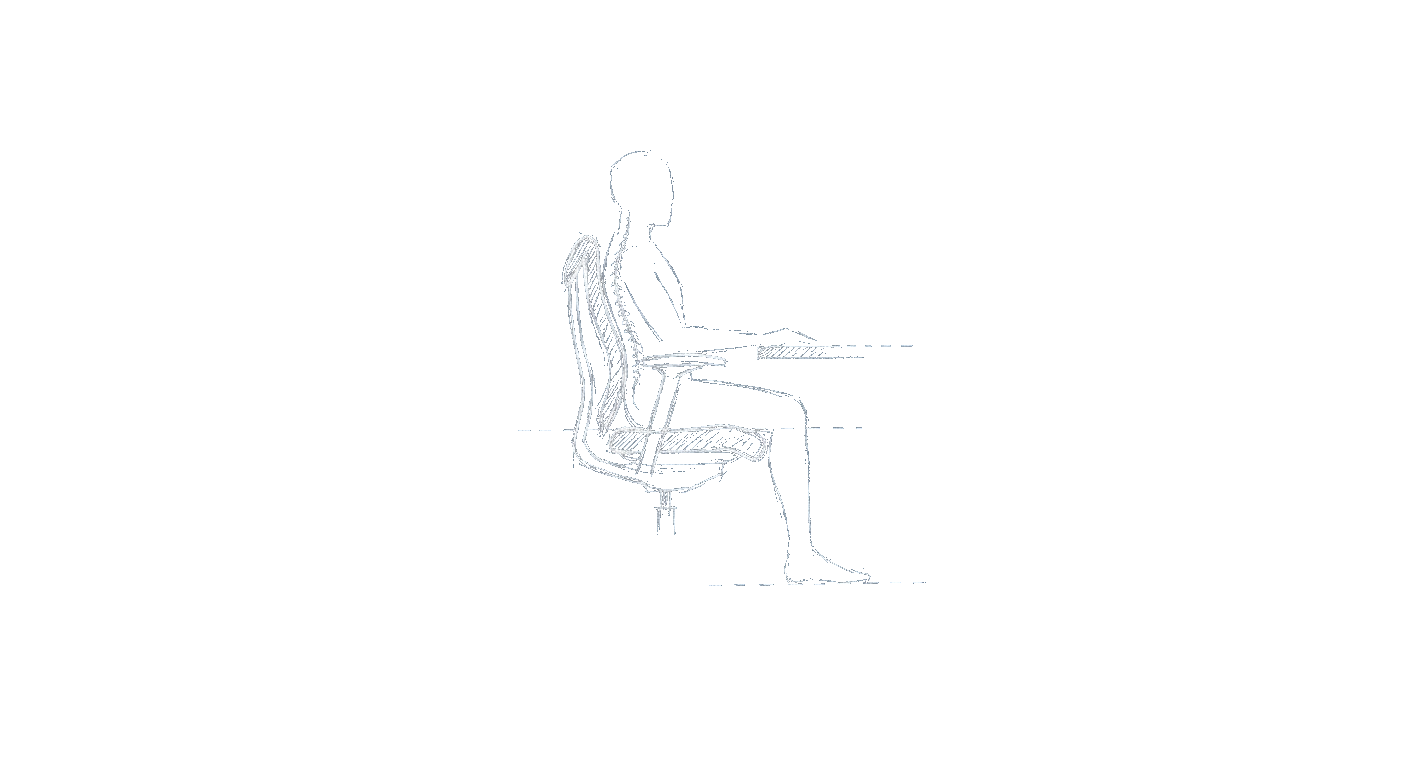
How do I set my seat height correctly?
The foundation of any good ergonomic setup is a neutral spine, and that begins with your feet. Adjust your chair’s pneumatic lever until your feet rest flat on the floor with your knees bent at roughly a 90-degree angle. Your hips should be slightly higher than your knees, which opens the angle between your torso and thighs to about 100–110 degrees. If your feet don’t reach the floor after raising the seat, you need a footrest, never dangle your legs. A common mistake is raising the seat too high because it feels ‘right’ for the desk, but that forces your hips to tuck under and your shoulders to hunch. Test by placing your hands on your keyboard: your elbows should be at about 90 degrees and your wrists straight. If you feel pressure under your thighs, the seat is too high.
How much seat depth do I need?
Seat depth controls how much of your thigh is supported. Most chairs have a sliding seat pan; you want about two to four fingers of space between the back of your knee and the front edge of the seat cushion. Any more and you’ll feel pressure behind the knee; any less and you lose thigh support, which can make you slide forward. If your chair lacks a depth adjustment, a seat cushion or lumbar roll can help you alter your seated position. Sit all the way back in the chair with your lower back touching the lumbar support, then check the gap. If the seat pan is too long even at its shortest setting, that chair is likely not a good fit for your frame.
Where should the lumbar support hit?
Lumbar support should fill the natural inward curve of your lower back, typically at or just above your belt line. Many chairs let you move the pad up and down and sometimes in and out. Adjust it so it presses gently into the curve, not so much that it pushes you forward, and not so little that you feel a gap. A common mistake is setting lumbar too high, which forces your mid-back into an exaggerated arch. Another is leaving it too low, which does nothing. Sit in your working posture and feel for even pressure along your spine. If your chair lacks adjustable lumbar, a small rolled towel or a dedicated lumbar cushion can work in a pinch.
How should I adjust armrest height?
Armrests should take a light load off your shoulders without forcing you to raise or shrug them. Adjust each armrest so that when your arms hang naturally at your side with elbows at 90 degrees, the armrests barely brush the underside of your forearm. Your forearms should remain parallel to the floor, and your wrists should be straight, not bent up or down. If the armrests are too high, you’ll hunch your shoulders; too low and you’ll lean sideways. Many chairs offer 4D armrests that also adjust width and pivot angle. Set the width so your elbows stay close to your body, not winged out. If your chair’s armrests are fixed and don’t adjust, consider removing them if they interfere with pulling the chair under the desk.
How tight should the tilt tension be?
Tilt tension controls how much force is needed to recline. Under a typical knob or lever, adjust so you can lean back with a small, deliberate push but the chair doesn’t fall back all at once. You should be able to recline through a range of about 10 to 15 degrees without the chair springing you forward. A good test: sit upright, loosen the tension until the chair starts to tip back under your weight, then tighten just enough to hold you in an upright posture when you relax. Many chairs also have a tilt lock, only engage it if you need to stay very upright for a task. For most people, a slight recline with active lumbar support is better for long-term comfort.
Frequently asked questions
Does every chair need a lumbar support adjustment?
Not if the built-in curve matches your spine, but most people benefit from at least a height-adjustable lumbar. A fixed ‘bump’ that doesn’t move is often in the wrong place for your height.
What if my chair’s seat is too deep even at the shortest setting?
That chair likely isn’t the right size for you. As a workaround, place a small lumbar cushion behind your back to push you forward a couple of inches, or use a footrest to take pressure off your thighs.
Should I use armrests all the time?
Armrests are for brief rests, not constant support while typing. Keep them low enough that you can slide your chair under the desk and let your arms hang freely during active keyboard work.
Is it okay to lock my chair in a fully upright position?
It’s better to allow a few degrees of recline so your spine can shift load. A locked upright posture can increase disc pressure. Use tilt lock sparingly, such as for precise drawing or writing tasks.
How often should I re-adjust my chair?
Every time you sit down for a long session, give each adjustment a quick check, especially if you share the chair. Small changes in footwear or clothing can affect your ideal settings.
Do I need a footrest if I’m short?
If your feet don’t rest flat after setting seat height correctly, yes. A footrest is not optional, dangling legs pull on the lower back and restrict circulation. Look for a stable, slightly angled footrest.